This is the first lab of lab series to learn CI/CD. In this lab, I will only focus on documenting the implementations step by step and not on the installation. Maybe on another occasion, I may also include how to install each of the tools used in this lab.
The following are some of the parts of this series :
- Integrate Jenkins with Nexus Repository OSS
- Integrate Jenkins with Bitbucket
- Integrate Jenkins with OpenShift
- Integrate Jenkins with Jira
- Full CI / CD Pipeline
*Note : These labs don’t involve any tests.
What should be prepared :
1 VM (Jenkins + Nexus)
Specifications :
• OS Centos 7.9 (optional)
• RAM: 16GB (this will be used until labs get finished)
• CPU: 4vCPU
• HDD: 100GB
• Internet connection
Inside the VM are installed as follows :
Jenkins (run as a service)
– Openjdk1.8
– Maven 3.6.3
– Docker client
– Git
– IP address = 192.168.1.116:8080
Nexus (run as a container)
– IP address = 192.168.1.116:8081
Nexus Configurations
Nexus is an open source repository that supports storing artifacts and docker images.
Here are the configuration steps:
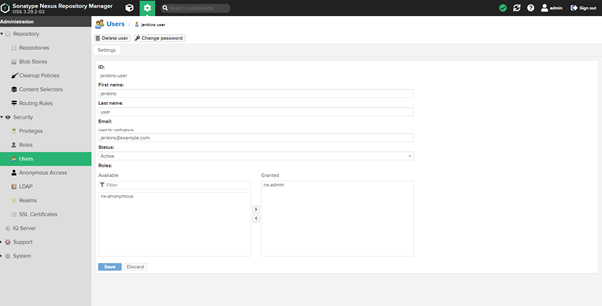
- Login to nexus as admin, then create one user.
Here the user is named jenkins-user, don’t forget to grant roles as admin as shown below.
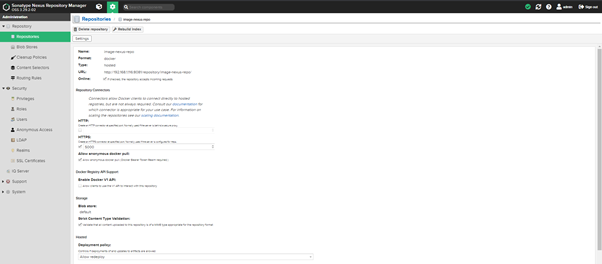
- Create a image registry with the specifications as shown below
- Next, create an artifactory with specifications like the picture below:
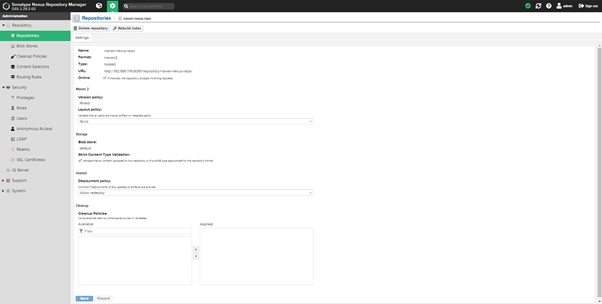
The configuration from the nexus side is completed. In essence, we only need to create a user that will be used by Jenkins, 1 image registry and 1 artifactory.
Jenkins Configurations
Jenkins is a powerful open source CI / CD tool because it is supported by many plugins so it will be easier to integrate with any third-party tools.
Here are the configuration steps:
- Log in first as an admin to Jenkins
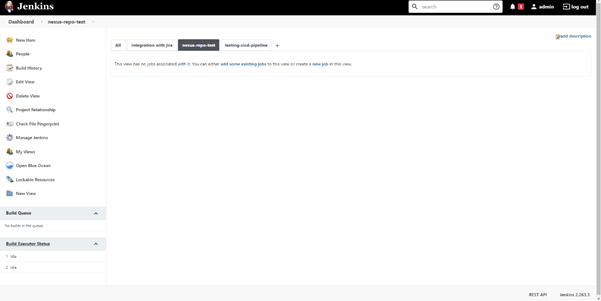
Install the required plugins on the Manage Jenkins menu -> Manage Plugins -> [TAB] Available. Then install the plugin below:
– Nexus Artifact Uploader
– Docker Pipeline
Then select Install without restarting
And configure the tools that will be used :
- Maven
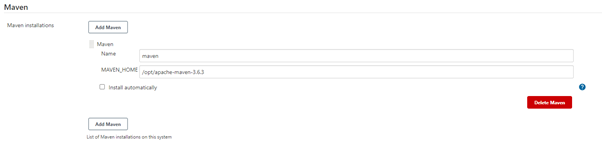
- Openjdk
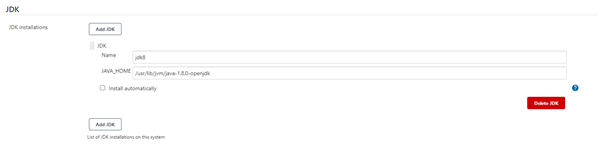
- Docker Client

Then save it.
Next, we will immediately create a pipeline that will build source code and image to be stored in nexus.
Then we need to create a credential for nexus on jenkins so that jenkins can interact with nexus. Use the username and password that was created earlier on nexus, namely jenkins-user
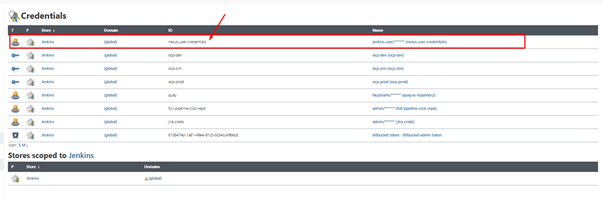
Then the final step is to create a job in which there is a pipeline to build the source code into an artifact and an image which will later be stored on nexus.
Select New Item -> Pipeline. Here I create a pipeline in a Jenkinsfile which is stored on my Github repo( https://github.com/fauzislami/jenkins-nexus-integration.git).
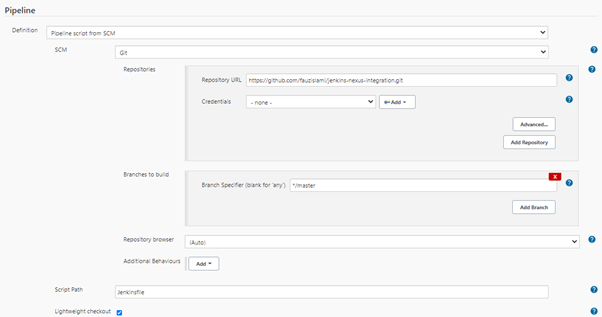
Then save it.
Then trigger the build manually. Here there are 3 previous builds that failed and can be ignored, because those were still an adjustment stage LOL. However, in the next build, it has succeeded to push artifacts and images
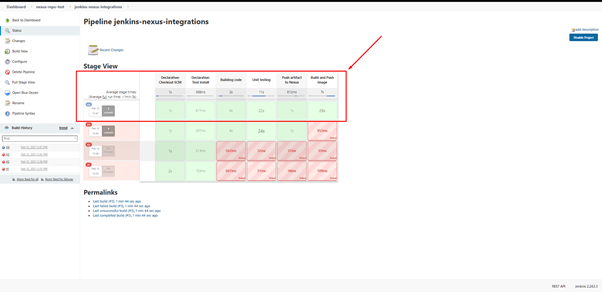
This is an artifact that has been successfully stored in nexus :
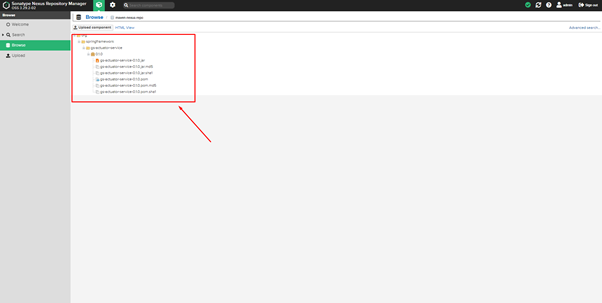
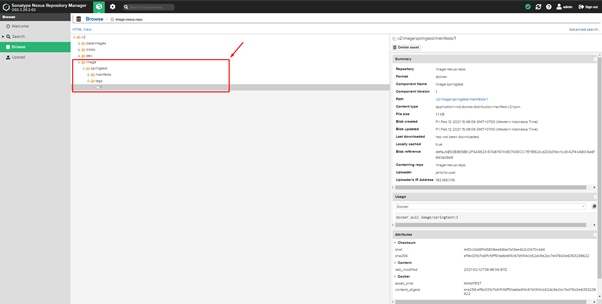
And this is an image that has been successfully stored to nexus :